
Using a few cheap sensors, a wireless keypad, Zigbee2MQTT and Home Assistant; I was able to get a basic security alarm up and running during a free afternoon 🙂
Controlling the Raspberry Pi HDMI port — with MQTT and Home Assistant

We have a Raspberry Pi driven digital calendar in the kitchen. I’m currently using crontab to turn the HDMI port off at night, and when we’re at work.
But a much more flexible solution is to control it using MQTT and Home Assistant. That way it can easily be automated to turn on when we’re home, if there is movement in the kitchen, or any number of conditions.
It’s really quite easy to do, here’s how 👇
Two channel traffic lights controller — using Wemos
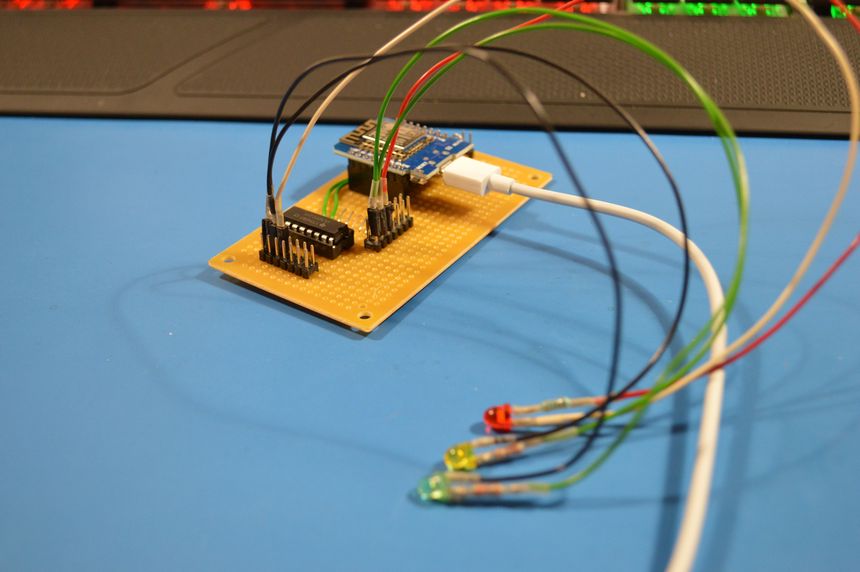
My kids wanted traffic lights for their LEGO city, so first I had to build a traffic lights controller.
Raspberry Pi with DS18B20 temperature sensors

I made a simple HAT (Hardware Attached on Top) for the Raspberry Pi to read multiple DS18B20 temperature sensors — it was surprisingly easy. I used the measured temperatures to control a fan using Home Assistant.
Kids alarm module, Raspberry Pi Zero, and MQTT

My twin boys are, like their dad, fascinated by switches and flashing lights. I needed an excuse to use the Raspberry Pi Zero in a project, so I built them a WiFi MQTT controlled alarm module. With a couple of switches, some panel indicators, a buzzer, and a blue LED strobe.